AutoClicker2 Record Play | FAQ (Frequently Asked Questions)

AutoClicker2 Record Play - comprehensive FAQ to help users who are looking for a reliable auto-clicker application for Minecraft, Roblox, and online games
: 176 , 41 , 58680405 maintained by federicadomani Hosted on GitHub Pages — Theme by mattgraham
Updated 2025-12-15.
AutoClicker2 Record Play - comprehensive FAQ to help users who are looking for a reliable auto-clicker application for Minecraft, Roblox, and online games
❓ General Questions
- Q: What is AutoClicker2 Record Play?
-
A: It is a free and open-source Windows application designed to automate mouse clicks. It can perform simple, rapid clicks or record and replay complex sequences of mouse actions.
- Q: Why should I choose this over older auto-clickers like OP AutoClicker or GS Auto Clicker?
-
A: AutoClicker2 is actively developed and updated (including 2025 commits). The older programs are often abandoned, closed-source, and may contain bugs, unwanted ads, or security risks (malware/trojans), according to the developer.
- Q: Is AutoClicker2 Record Play safe to use (no viruses or malware)?
-
A: Yes. It is an 100% open-source project, meaning anyone can review its code for transparency, and it is free of ads, viruses, or malware.
- Q: What Windows versions is this app compatible with?
- A: It is perfectly compatible with Windows 7, Windows 8, Windows 10, and Windows 11 on both 32-bit and 64-bit systems.
⚙️ Clicking Modes and Features
- Q: What are the main ways I can automate clicking?
- A: You have three modes:
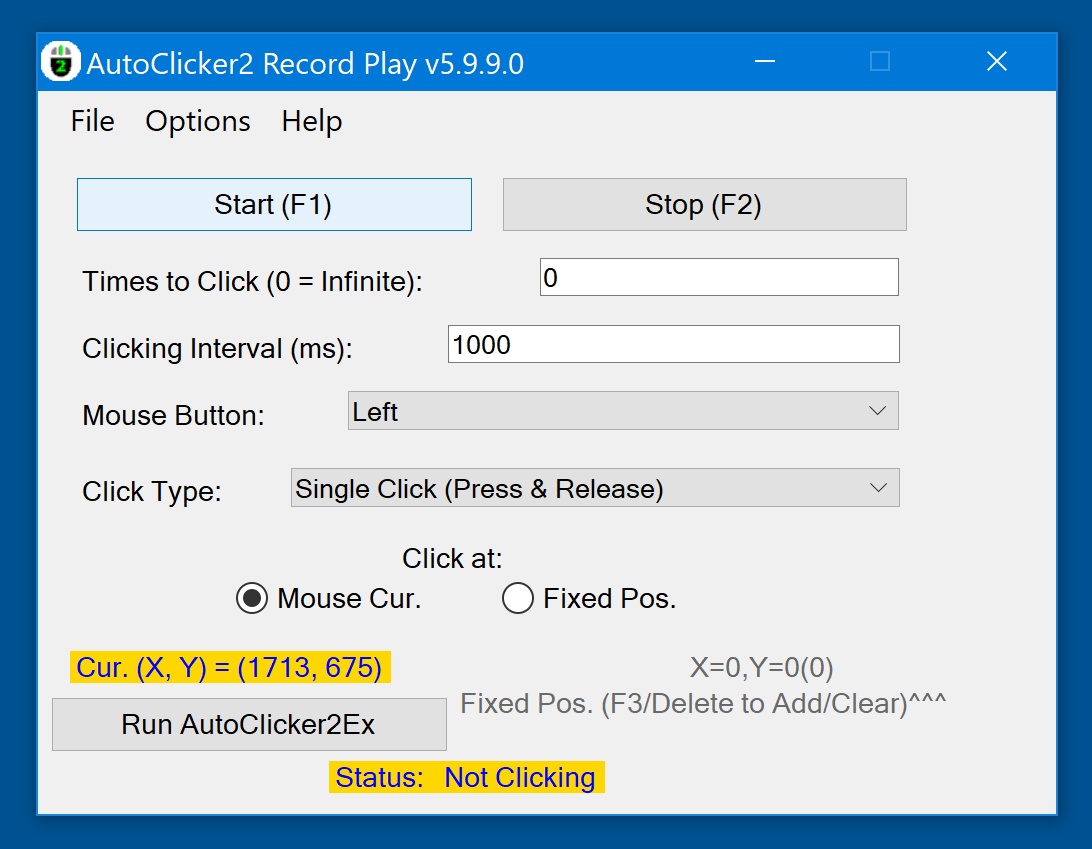
- Current Mouse Position: Clicks wherever your mouse cursor is located right now.
- Fixed Position: Clicks repeatedly at one specific, pre-set coordinate on your screen.
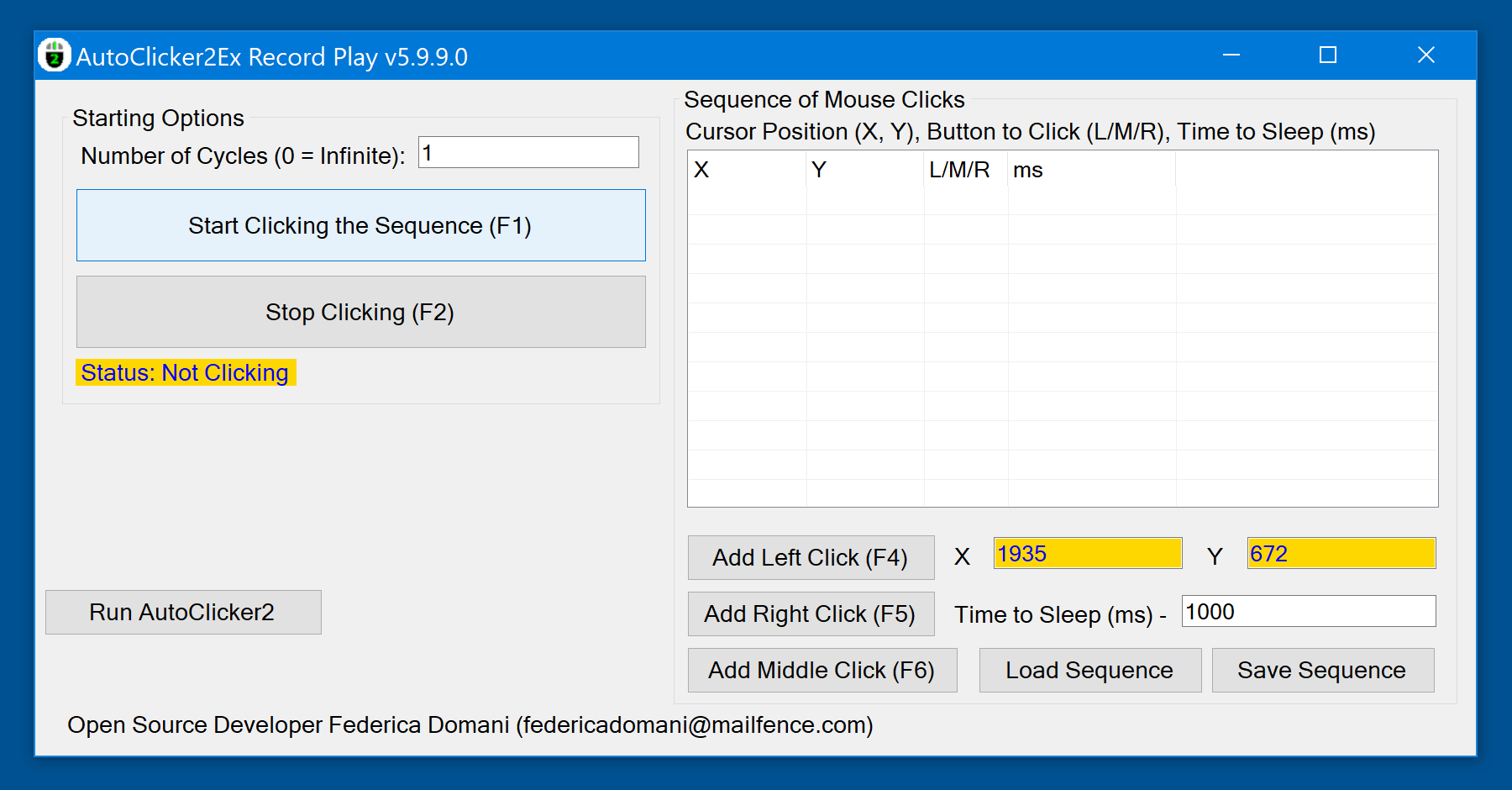
- Record and Playback (Sequences): Records a whole list of clicks at different points and plays them back.
- Q: Can I automate a long list of clicks, not just one spot?
-
A: Yes. This is the app’s main feature. You can record, edit, debug, save, and play back entire sequences/lists of mouse clicks.
- Q: Can I set the auto-clicker to run forever?
-
A: Yes. Set the “number of repeats” parameter to 0 for unlimited, continuous clicking (looped clicking).
- Q: Does it only support the Left and Right mouse buttons?
-
A: No, it supports all five mouse buttons: Left, Right, Middle, plus the professional gaming mouse buttons XBUTTON1 and XBUTTON2.
- Q: Can the clicking continue if I minimize the app’s window?
-
A: Yes, it supports clicking even when the application’s window is minimized (in background mode).
- Q: Can I use a keyboard key to start and stop the clicking?
- A: Yes, you can select an arbitrary hotkey to trigger the mouse clicks. Hotkeys work in the background.
🎮 Advanced / Gaming Use
- Q: Is AutoClicker2 suitable for popular games?
-
A: Yes, it is explicitly mentioned as supporting professional gaming in titles like Roblox, Minecraft, Cookie Clicker, and Candy Crush Saga, among others.
- Q: Can I make the clicks random?
-
A: Yes. You can record a sequence of points to define a bounding rectangle. The application can then randomize the clicks within that recorded area.
- Q: What does the ‘Extended’ version (
AutoClicker2Ex) add? -
A: The Extended version adds the Fine Structure Of Clicking Sequences. This allows you to record mouse actions with different clicking buttons and varying time intervals within a single sequence.
- Q: Can I save and share my recorded click sequences?
- A: Yes, the app supports import and export features for your mouse clicking sequences (which can be useful for Quality Assurance or sharing setups).
Latest stable version 5.9.9.0
 |
 |
Official Download:  MSI Windows Installer